Take advantage of our risk-free "try before you buy" options. When you're satisfied with the repaired results, you can proceed to purchase.
The SecureUSB® BT is a FIPS 140-2 Level 3 validated, hardware encrypted USB flash drive with remote wipe capability, delivering certified, portable data protection for organizations that cannot afford to leave sensitive data exposed on a lost or stolen device. Built around AES-XTS 256-bit hardware encryption, the SecureUSB® BT meets the data-at-rest requirements of HIPAA, CMMC, GDPR, and the EU Cyber Resilience Act in a pocket-sized, field-ready form factor.
Remote Wipe — Act Instantly When a Device Goes Missing
When an encrypted USB drive is lost or stolen, every second counts. Every SecureUSB® BT includes built-in remote wipe capability as a standard feature, allowing users or administrators to instantly delete all stored data directly from the SecureData mobile app. No remote management console required.
Wireless Biometric Authentication
The SecureUSB® BT authenticates access through the native biometric capabilities of any smartphone or Apple Watch, including fingerprint, facial recognition, or device PIN. No keypad, no software to install, and no compatibility concerns across operating systems. IP68 dust and water resistance with included sleeve ensures reliable protection across demanding environments, from clinical settings to remote field operations. Brute force protection automatically deletes the hardware encryption key after ten consecutive failed access attempts, providing an additional layer of protection against unauthorized access.
Operational Security Controls
Read Only Mode, inactivity auto-lock, and step-away auto-lock ensure sensitive data is never left exposed between sessions, critical for professionals handling regulated data across multiple locations throughout the day. Housed in a thin, aircraft-grade extruded aluminum case, the SecureUSB® BT is compatible with legacy systems, medical equipment, scanners, and printers, working reliably across any environment without requiring drivers or host software.
Enterprise Ready
The SecureUSB® BT is Remote Management ready, giving IT administrators centralized, browser-based control over every managed drive in the organization. Enforce geo-fencing, time-fencing, and access policies from a single console, with real-time remote wipe capability ensuring that a lost or stolen device never becomes a reportable breach under HIPAA, CMMC, or GDPR.
Never Let a Lost Drive Become a Data Breach
The SecureUSB® BT puts certified encryption and instant remote wipe capability in every pocket across your organization. Request a free 30-day trial unit and test it in your own environment, shipped directly to you at no charge.

Level 3 requires strong physical security features to prevent theft, tampering, or unauthorized physical access. In addition, the drives are Certified secure key distribution, storage, and destruction mechanisms through the use of validated cryptographic algorithms and protocols that are rigorously tested against potential attacks.

Configure and Manage via Mobile App (Android/Apple)
• Login with a password
• Biometric unlock (Face ID & Touch ID)
• Remote wipe – drive can be remotely erased
• Step away auto-lock / Inactivity auto-lock
• Read Only (Write Protect)
• Remember Password for fast access
• Password recovery, and more

Easily manage and control USB devices with a browser with no software to install,allowing you the ability to manage USB drives from anywhere, at any time.

Our drives are designed to work seamlessly on any operating system without any compatibility issues, including:

Plug & Play right out of the box.
• SecureUSB® BT
• USB-C Adaptor
• Quick Start Guide
FIPS 140-2 Encryption That Fits on Your Keychain
The SecureUSB® BT is a hardware encrypted, password protected USB flash drive that unlocks with your fingerprint, face, or mobile app PIN and wipes instantly from anywhere if it is ever lost or stolen. Built around FIPS 140-2 Level 3 validated security and military-grade AES-XTS 256-bit hardware encryption, it protects sensitive data against both physical tampering and unauthorized access in a pocket-sized, field-ready form factor. Wireless biometric authentication via the free SecureData Lock mobile app makes unlocking your drive as simple as a fingerprint or face scan, with no software to install and no compatibility concerns across operating systems. And if your drive ever goes missing, remote data wipe lets you permanently delete everything on it from anywhere in the world, instantly giving you complete control over your data no matter what happens to the device.
Standard License - Intended for small businesses and/or individuals.
Standard license limitations:
Business License - Intended for small or medium businesses.
Storage & Size
Performance
Security & Encryption
Authentication & Access Controls
Durability
Compatibility
Regulatory & Warranty
Remote Management Subscription service (Geo-fencing, remote data wipe, time-fencing, password reset, and more) sold separately.
When referring to drive capacity, one gigabyte (GB) equals one billion bytes. One terabyte (TB) equals one trillion bytes. Your computer’s operating system may use a different standard for measurement and report a lower capacity.
SecureDrive® and SecureUSB® products are developed and manufactured by SecureData and are based on DataLock® technology licensed from ClevX, LLC. U.S. Patent. www.clevx.com/patents
Trusted by 3,000+ happy Customers & Organizations.
As an alternative to downloadable utility, you can get instant results with our breakthrough online file repair. With no software to download and install it's easier and faster than ever.
Repair your corrupt files by uploading them to our cloud-based platform. After upload, processing typically takes from a few seconds to a minute, after which the user is offered free and paid options for downloading the results of the recovery.
Dozens of file formats are supported, including Microsoft Word documents, Excel spreadsheets, PowerPoint presentations, Access databases, JPEG, GIF, TIFF, BMP, PNG and RAW images.

Product Documents
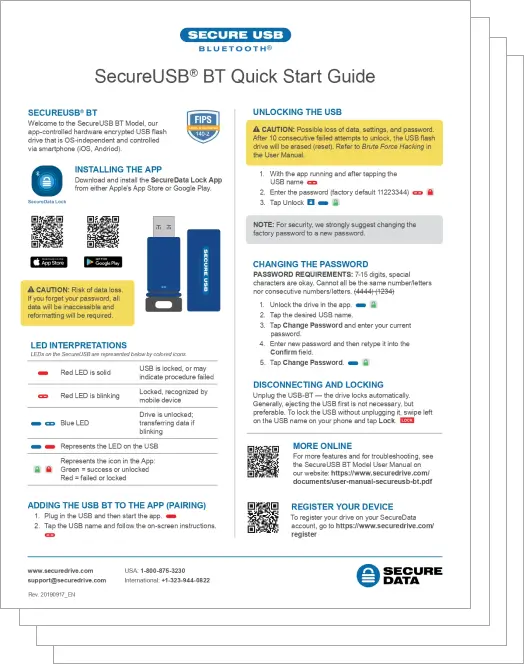
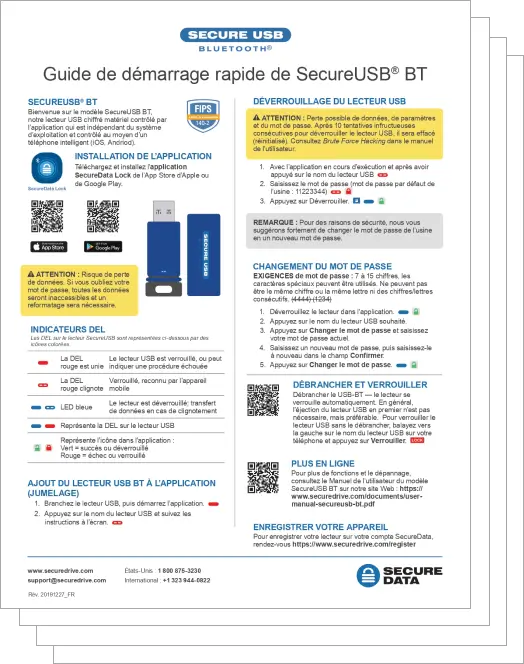
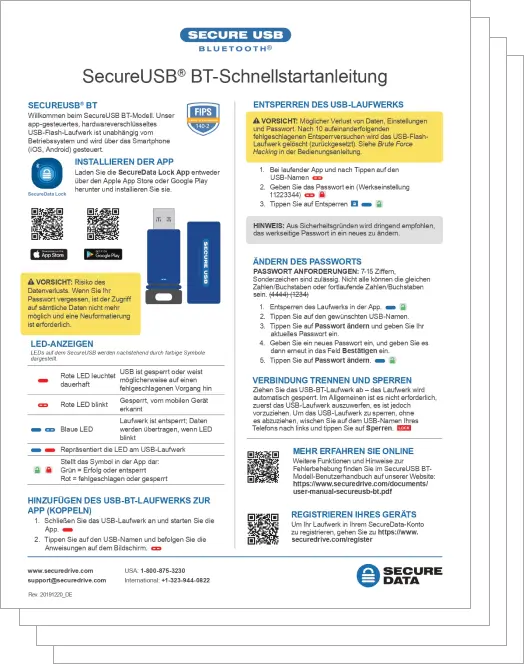
You must download the SecureData Lock® mobile app. After installing it you will be able to pair the device (make sure your Bluetooth is turned ON). Once synced, you can use the app to log in.
Once you have successfully unlocked the drive you will be able to change user settings and swipe left on the device name to lock it. Once the drive is locked you must unlock it again to mount the drive.
No. Bluetooth is simply the communication channel. The authentication is handled via secure server/app exchange. Neither your data nor the encryption key can be extracted by any side channel attacks or Bluetooth listener.
The SecureData Lock® and SecureData Lock® RM apps are available to download via the Apple Store or Google Play. Type “SecureData Lock” in the search field to find and install the apps on any mobile device.
Yes. Using the SecureData Lock® app you can select to authenticate via Touch ID or Face ID.
While using the SecureData Lock® app you do not need to be connected to the internet or have a cell signal in order to unlock the drive. However, some settings require an internet connection or cell phone signal, including dual-factor authentication, password recovery, and remote wipe. Alternatively, if your device is remote managed you must unlock it via the SecureData Lock® RM app which requires an internet connection or cell service.
The drive will revert to factory settings, become unformatted, and the default drive name and all user data will be gone. The drive requires formatting for continued use.
No. There are absolutely no backdoors nor resets. After 10 consecutive, incorrect attempts the anti-hacking, brute-force self-defense mechanism wipes all user data and drive attributes.
Yes, as long as you have enabled the “remote wipe” feature before the device is lost or stolen. See manual for more details.
No. Resetting the drive activates a crypto erase command which deletes and then regenerates the encryption key. Once the key is gone there is absolutely no way to get it back. Even though there will be encrypted data on the drive, there is no viable way to decrypt it.
Yes. BT and Duo series encrypted drives allow adding Remote Management to complement and enhance your purchase. You can switch from SecureData Lock® (non-remote managed) to SecureData Lock® RM (remote managed) status without installing any software—the device will just need to be provisioned using the SecureData Lock® Admin app.
The app authenticated secure drives work with any iOS device and any Android 6 or later models.

Our data repair experts can solve the most difficult data corruption situations. Corrupted files are taken apart bit by bit, and recoverable data is reconstructed into a new file.
To learn more please submit this form and one of our technicians will contact you to go over the process.