

In July 2026, Nine PBS in St. Louis, Missouri, filed a lawsuit against data center operator Iron Mountain, seeking the return of 50 terabytes of archives spanning more than 70 years of programming. The public broadcaster claims its cloud vendor, Open Source Storage, failed to renew its annual contract, then immediately blocked access to over 11,000 videos and photos.
The case is still working its way through the legal system, but the lessons are already evident: You cannot trust a cloud storage platform or a production network with the only copies of your files.
Offline backups can help avoid data loss from a dispute with a cloud provider or a ransomware infection on a local network.
What You Need To Know:
What Is an Offline Backup?
Several terms describe types of offline backups.
Air-gapped backups are cleanly separated from a production network and the internet to prevent cyberattacks from reaching the data.
Immutable backups are copies of data that no one can delete, encrypt, or edit.
Cold storage refers to rarely accessed data and archives that must be preserved for legal or historical reasons.
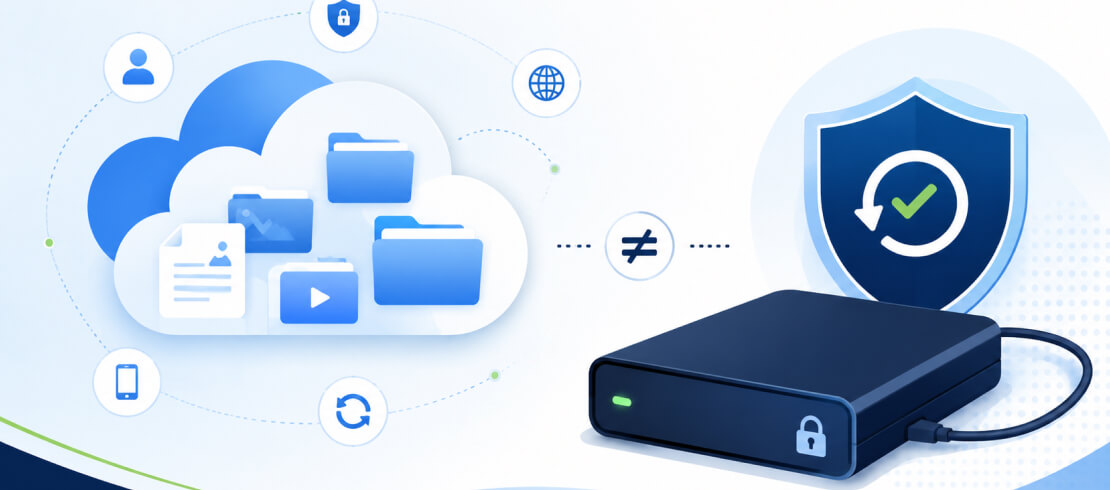
Difference Between Online and Offline Backup
The table below outlines the difference between online and offline backups and its impact on you.
Many services and specialists argue for their preferred model, but most businesses need both types of backups.
Offline backups are indispensable if your business takes data protection seriously.
The cloud is a convenient platform for storing large amounts of data. Cloud storage services offer this capacity at speed and scale. For a monthly fee, you can access your data from anywhere with a connected device.
Yet, the cloud is not suitable as the sole host for irreplaceable archives.
The cloud can be part of a backup solution. However, on its own, the cloud still represents a single point of failure. Your data could disappear after a rare ransomware attack on cloud infrastructure. Or, like Nine PBS, you could lose access to your data if a cloud vendor abruptly ceases to exist. Then, you’re faced with extended downtime and legal fees to litigate the case.
Both scenarios leave your files stuck where you can’t get them. That outcome can have a disastrous impact on your business or result in permanent data loss of priceless memories.
"It’s pretty straightforward that the responsibility for safeguarding your data in the cloud is yours,” author and backup expert W. Curtis Preston stated on data loss in the cloud. “All of your data in one place has always been a bad thing. Nothing in your contract says cloud vendors are backing up your data, and there are many stories proving you are on your own when it comes to protecting your data in the cloud."

Networks have a similar limitation to the cloud. When backups and live data share a network, they are vulnerable to the same threats. Attackers could encrypt your backups alongside data on your desktops, laptops, and other devices.
Offline backups are the best option to act as a last line of defense.
Following established rules is a good practice to ensure that your backups are effective.
3-2-1 Rule
The 3-2-1 Rule is the bare minimum for data protection. It calls for maintaining three copies of data on two different storage media, with one version kept off-site.
The strategy protects against catastrophic hardware failure, ransomware attacks, and natural disasters by spreading risk across devices and locations.
This simple baseline will prevent most data loss incidents. However, the 3-2-1 Rule does have some gaps. Especially if the off-site copy is a connected backup that sits in the cloud.
3-2-1-1-0 Rule
The 3-2-1-1-0 Rule is an evolution of the classic backup principle. The updated rule still recommends three copies of data on two different media and one off-site backup. It also adds one air-gapped, immutable backup and zero errors in a restore test.
This method offers more layered, robust protection against modern ransomware infections than the 3-2-1 Rule.
As a result, the 3-2-1-1-0 strategy is widely considered the Golden Rule of backups.
Types of Offline Backup Media

The best storage media for backups depends on the volume of data, retention window, transfer speed, and budget.
These answers vary by business and person, so the right choice differs. Match the storage medium to the job.
Each device shares one defining trait: It can store data while disconnected from your network.
External Hard Drives and SSDs
External hard disk drives (HDDs) and solid-state drives (SSDs) are popular starting points for offline backups. They connect to a computer over USB or Thunderbolt for plug-and-play usage. They also have sufficient read/write speeds and large enough capacities for most small businesses.
HDDs retain data longer because the magnetic platters don't degrade while sitting in a drawer. SSDs will slowly lose the charge in their NAND flash cells without a power source. However, SSDs provide much better restore performance and durability.
Use an external hard drive for low-cost archives and backups. An external SSD is a better choice for large file transfers and fieldwork.
Our SecureDrive® encrypted external drives feature FIPS 140-2 Level 3 validation for extra protection from device loss or theft. These drives have multi-factor authentication, tamper-resistant components, and a USB antivirus.
Best for: Local backups of active data that needs restored fast in the event of an incident.
USB Flash Drives
Thumb drives also have NAND flash memory, but cheaper controllers and cells. Still, they are compact, lightweight, and easy to use. These traits make them useful for copying a small data set or moving files between air-gapped systems.
Our SecureUSB® encrypted flash drives are highly portable media with more advanced security features than other options.
Even so, the risk of misplacing a USB flash drive and its limited storage space make it better suited for a supporting role.
Best for: Short-term transfers and extra copies of specific data.
M-DISC
M-DISC is a specialized optical media format. It is a write-once disc with an inorganic, glass-like layer that resists heat, moisture, and light. A laser burns the surface and etches data onto the recording layer.
Its write-once, read-many (WORM) design means that each disc is immutable. They also blend excellent longevity (rated for 1,000 years) with minimal upkeep. These make M-DISC a strong option for offline backups.
Best for: Archives of small, high-value files that need to be preserved for decades.
NAS Device
Network-attached storage (NAS) combines multiple hard drives in a physical unit into a single logical volume. This arrangement pools the disk’s storage capacity and adds redundancy if a member drive fails.
You must disconnect and power down the NAS for it to function as an offline backup. Failure to enforce the offline window could compromise the backups.
You can store 50 TB of data on an isolated NAS device for a few thousand dollars. While those hardware costs might seem high, a cloud subscription could charge hundreds of dollars per month, depending on the tier.
Best for: On-site backups for major projects, assuming discipline.
LTO Tapes
Linear Tape-Open (LTO) remains the standard for long-term storage of vast data sets. It holds the lowest cost per terabyte at scale. Plus, the cartridge does not require power to retain data, giving it a long shelf life.
LTO’s air-gapped design, low costs, and massive capacities make it a no-brainer for enterprises and cloud storage services.
Best for: Cold storage of archives.
While regulators or insurers rarely demand offline backups, they often require proof of outcomes. You must be able to recover data and maintain records that no one can alter.
Air-gapped, immutable backups can meet those demands to ensure compliance and insurance.
Offline Backups Comply With Major Frameworks
Many of the strictest privacy laws and security standards require substantial evidence. Offline backups uniquely satisfy these conditions. Air-gapped backups resist tampering from ransomware. Immutable backups resist tampering by insiders.
Together, they demonstrate a complete approach to data protection.
Two notes:
In December 2024, the Department of Health and Human Services proposed updating HIPAA's Security Rule to strengthen its standards. If adopted, the new Security Rule would mandate encryption and a 72-hour restore window. Offline backups would become even more practical.
The GDPR guarantees the right to erasure. For best results, set immutable retention windows by data classification, so locks don’t conflict with erasure requests.
Cyber Insurance Prerequisite
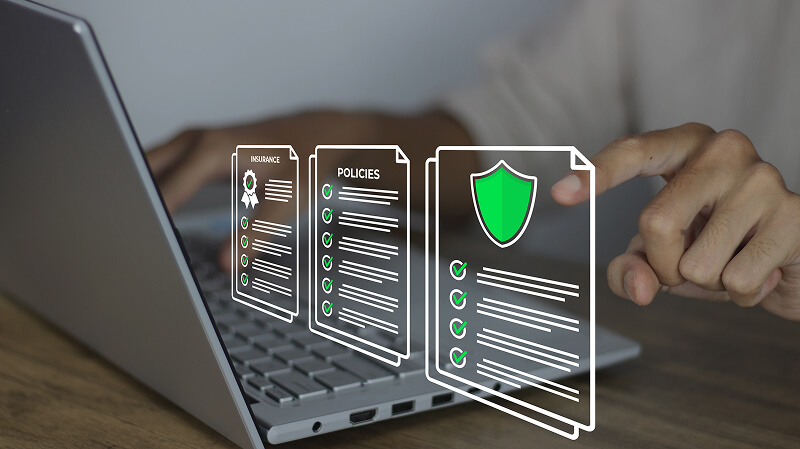
Cyber insurers no longer consider backups a best practice. They are now a condition of coverage.
As ransomware attacks have evolved to target backups, most carriers demand proof of air-gapped, immutable copies. Many insurers want to know that you can restore your data within a set recovery time and see the test report.
Proving your controls can mean lower premiums and fewer coverage exclusions. Failing to do so could make your policy even more expensive and limited.
Evidence for Auditors
Auditors don’t care about claims. They want a process and proof. You need to show them that you understand threats, address them, and test those controls.
Clearing an SSAE 18 SOC 2 Type II audit and holding an ISO 9001:2015 certification attest to robust standards. An SOC 2 Type II report evaluates controls over a period of months. An ISO 9001 quality system shows documentation, reviews, and corrections.
Running offline backups within these frameworks makes handing evidence to an auditor much less daunting.
Best Offline Backup Practices
Here are ten habits to maintain the integrity of your backups:
- Refresh your hardware based on media type.
- Retire any device that reports a read error.
- Store media in a controlled climate.
- Label each backup with contents, creation date, and retention window.
- Store immutable copies for 30 to 90 days.
- Keep the key separate from the media.
- Use separate admin credentials and privileges.
- Split duties among team members.
- Run restore tests to verify backups.
- Rebuild in a clean environment to avoid reinfection.
Without established practices, offline backups can fail silently and become useless to businesses.
When To Consider Backup-as-a-Service (BaaS)
Many growing companies have a lot on their plate and a sharp focus on revenue. Managing offline backups can strain a busy IT team. It can be even tougher in a heavily regulated industry.
Businesses that need help securing copies of their data should consider backup-as-a-service (BaaS).
SecureData offers managed IT services to companies looking for a technology partner, including offline backups. We have the expertise to close the gaps typically associated with air-gapped, immutable backups. You don’t have to worry about the effort of creating offline backups, restore speed, device management, or physical security. We handle it for you.
Our SOC 2 Type II audited processes, ISO 9001 certification, and FIPS 140-2 Level 3 products prove our competence.
Contact us for a free IT assessment to see if our services are a good fit for your business.
Frequently Asked Questions
Is an offline backup the same as an air-gapped backup?
Not exactly. An offline backup indicates that the device isn’t connected to a network. An air-gapped backup describes an intentional disconnect between the device and the production network to reduce ransomware risk.
Can offline backups be automated without breaking the air gap?
With exceptions. You can automate aspects of the backup process, such as scheduling, transferring, and verification. However, the strictest, most secure gaps require human oversight to ensure backups stay secure.
How often should I update an offline backup?
Match the backup frequency to the data you can afford to lose and how quickly it changes. For most businesses, that equates to an immutable, connected backup daily, with an offline copy created weekly or monthly.
Do offline backups satisfy regulatory requirements?
They help immensely, but backups alone don’t make you compliant. Regulators often want controls to protect the copies of your data, such as access limits and encryption. Retention policies and tested recoveries are other core components of strict audits.







.png)
