

Losing an encrypted external drive holding sensitive data might not seem like a big deal. The personal data, payment methods, electronic medical records (EMR), and controlled unclassified information (CUI) on the device are still encrypted. So, you’re fine, right?
An auditor or regulator could see it much differently than you do.
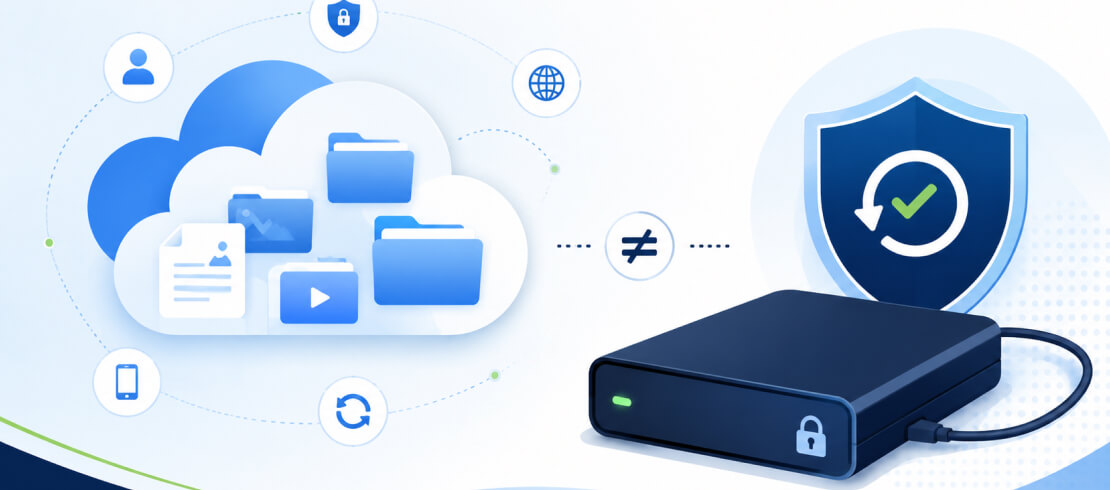
Hardware encryption protects the data stored on a lost or stolen external hard drive. It doesn’t account for any other external drives being transported between locations. That gap can lead to failed audits and hefty fines.
A remote management console for encrypted external drives completely closes the gap.
What Is Remote Management?
Remote management is the practice of monitoring and controlling devices without physical access.
For instance, an administrator might use remote management to adjust policies across an entire fleet of devices. They can also track a specific user's activity from the same console.
Remote management is a core function for IT teams who must oversee many systems and secure data. Even beyond the main office, admins may need to safeguard endpoints for remote workers and portable devices during business trips.
A remote management console helps IT professionals handle these tasks effectively and efficiently.
Why Regulated Businesses Require Remote Management
An encrypted external drive prevents unauthorized access if a device goes missing. It doesn’t demonstrate a broader culture of compliance. Not knowing the difference could sink a high-stakes audit.
As an example, under the HIPAA Privacy Rule, covered entities must adopt “reasonable safeguards” to keep protected health information (PHI) safe. An insurer or provider might have an external hard drive or USB flash drive containing patient data. Losing a single external drive may not qualify as a HIPAA violation if the device uses AES-256 encryption.
However, hardware encryption for data at rest doesn’t stop all incidents. It’s one part of a whole data protection strategy. An employee at a health insurance company or a medical practice who accesses private data they don’t need would still violate HIPAA. Even if the sensitive data resides on an encrypted device.
In these cases, access controls and logs are the most critical evidence to prove compliance.
Other major frameworks have similar handling requirements, such as the GDPR, which protects the customer data of EU citizens. PCI DSS enforces standards for cardholder data. Not being able to react to an incident exposes the business to possible breaches and financial penalties.
A remote management platform provides full visibility into your encrypted drive usage. As a result, admins can respond quickly and maintain compliance with strict regulations.
What SecureData® Remote Management Console Does
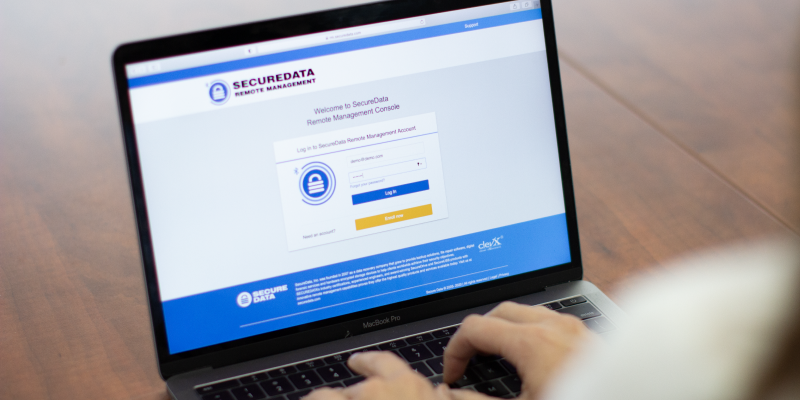
The SecureData® Remote Management Console is a centralized, browser-based platform that functions independent of the operating system (OS). It lets IT teams manage SecureDrive® and SecureUSB® products from anywhere with an internet connection at any time.
Our platform provides admins in regulated industries with every tool they need to comply with privacy and security laws.
Here are a few of the features in Remote Management:
- Manage SecureDrive® BT, SecureDrive® DUO, SecureUSB® BT, SecureUSB® KP, and SecureUSB® DUO from one platform.
- Assign users to a specific device.
- Set geofencing and time-based access policies.
- Support biometric and SSO authentication.
- Log each authentication attempt for a complete audit trail.
- Wipe data on the media.
- Reset the drive’s password or PIN.
- Designate roles and privileges to other admins for a clear chain of command.
Remote Management doesn’t require IT teams to download software on their host system or use a specific OS. This setup is ideal for mixed device environments. It creates a frictionless ecosystem that is built for the way employees actually work.
How Our Remote Management Console Supports Compliance
No matter the scenario, the SecureData® Remote Management Console helps you meet your regulatory obligations. It is specially designed for use in healthcare, financial services, manufacturing, government, and other heavily regulated sectors.
Following our best remote management practices can make passing audits routine.
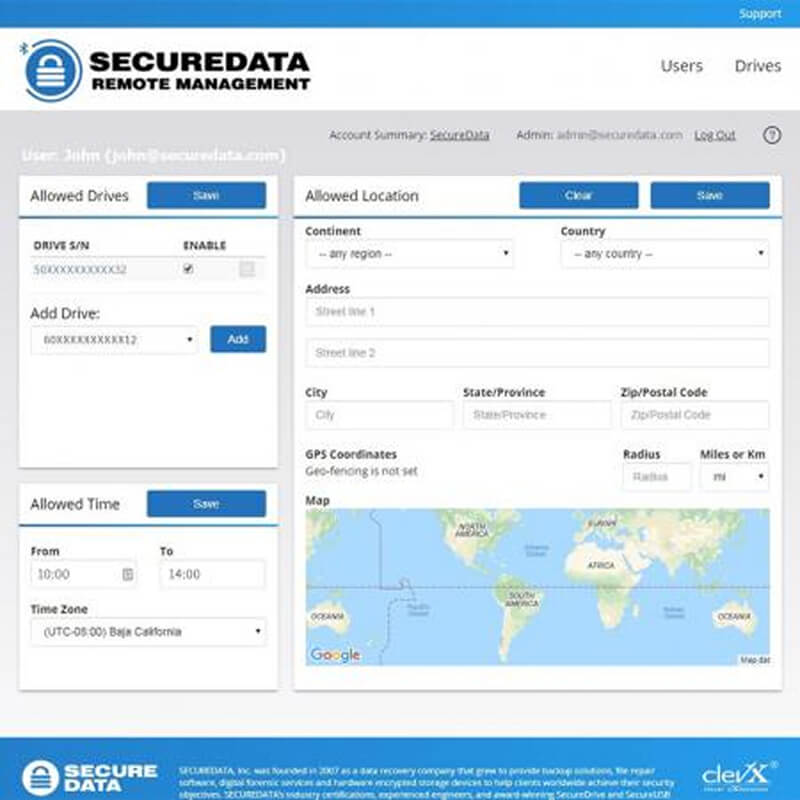
Our multi-factor authentication (MFA) process ensures that the encrypted drive remains locked and invisible until users are verified.
If a portable drive goes missing, admins can immediately erase sensitive data remotely.
If admins suspect improper use, they can restrict access to approved locations and specific timeframes.
If an auditor asks for chain-of-custody documentation, admins can hand over detailed access logs with precise timestamps, geographic coordinates, and outcomes.
Giving your IT department total control and oversight over external drives greatly simplifies incident response and reporting.
Cost of Not Protecting Regulated Data
IBM revealed that the average cost of a data breach in 2026 reached a record $4.99 million.
That figure includes breach notifications, remediation costs, legal expenses, financial penalties, lost productivity, and reputational harm.
The cost of downtime and non-compliance adds up fast. In fact, many businesses never recover from a data breach. Research from VikingCloud indicates that a successful attack would force about 20% of small businesses to close permanently.
Investing in your security now can save a lot of money in the future.
Bring Your Portable Data Under Control
Using encrypted external drives and encrypted flash drives with a central remote management platform is a resilient data protection strategy.
SecureData® Remote Management Console with SecureDrive® and SecureUSB® products is a strong solution for closely regulated businesses. The browser-based platform provides IT teams with options to defend companies and react to threats related to external storage. It also creates a clear record for a painless experience with auditors and regulators.
Contact SecureData today to request a free evaluation of our Remote Management Console.
Frequently Asked Questions
How many drives or users can Remote Management Console support?
SecureData® Remote Management Console allows for an unlimited number of users and drives. You can also use it individually.
Can anyone view data stored on the drive?
No. The encrypted drive only communicates with the Remote Management server via Bluetooth. No one can intercept data transferred over the USB interface.
How fast can I delete data remotely?
When an admin enters the command to sanitize data in the Remote Management Console, the encrypted drive will erase itself. As soon as someone attempts to authenticate to access the device, the server instructs the drive to destroy its encryption key. Once the command executes, no one can recover data on the external device.
Can I add Remote Management Console after purchase?
Yes. You can add the browser-based console after buying a SecureDrive® or SecureUSB® device. You won’t need to install software to manage the drive, but you must provision it using the SecureData Lock® Admin app.




.png)
